Everything you need to study

Every Scholarly feature, in one study workspace

Explore our AI-powered tools designed to transform your learning experience and save you valuable time.

See pricing

Free to start · No credit card · 70+ languages

Used by 150,000+ students worldwide
150,000+
Students
10+
Study Tools
24/7
AI Help
Watch

See Scholarly in action

Short walkthroughs of the tools students reach for every day.

Core features

Study Smarter with AI-Powered Tools

Our suite of features is designed to help you research, write, and study more efficiently with the help of advanced AI technology.

And more

There's More to Scholarly

Explore the powerful tools that make Scholarly stand out and give you a competitive edge in your learning.

Rich Text Editor

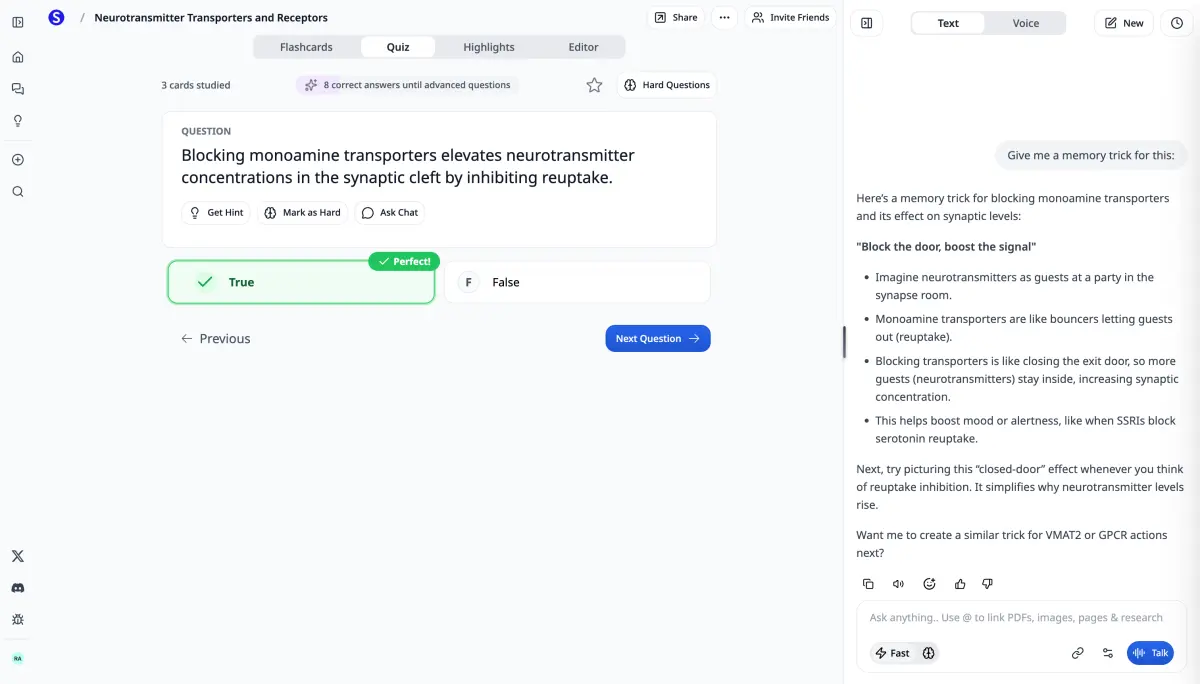
Our rich text editor allows you to combine text, images, flashcards, equations, and more into one document.

AI Writing Assistant

Powered by Scholarly Assistant, you can rewrite, expand and more with AI. We even have state-of-the-art autocomplete to help you write faster and better.

Voice

Speak to Scholarly assistant using natural language.

Deep Thinking

Scholarly Assistant can reason deeply about your question, using inference time scaling like DeepSeekAI.

PDF

Chat with your PDFs directly, and get the most out of your content.

Create Math Graphs

Ask Scholarly Assistant to generate mathematical graphs simply using natural language.

Search

Scholarly Assistant can search the internet, visit websites, and more.

Diagrams

Scholarly Assistant can draw diagrams, charts, and more.

AI Video Lectures

Turn PDFs into fully narrated, animated video lectures with AI-generated visuals.

Interactive Video Questions

Video lectures pause at key moments to quiz you on what you just watched, with instant feedback. Turn any checkpoint into flashcards or a quiz.

Get started

Ready to Transform Your Learning Experience?

Join students who use AI-powered tools to support their academic journey with Scholarly. Free to start — go Ultimate for unlimited AI study tools.

150,000+
Students
10+
Study Tools
24/7
AI Help
See pricing
Save 60% with annual

Free

$0/month
  • 3 AI Chat messages per day
  • 3 AI creations per day
  • 1 file upload per day (8MB)
  • 5 quiz questions per day
  • 1 exam attempt per day
  • 15 voice minutes per day
  • 32-page PDF to flashcards
  • 500 autocomplete words per day

Use it to generate flashcards, improve a deck, make a podcast, create a video lecture or infographic, build slides, make a mind map or study guide, or process a recording.

Most Popular

Ultimate

$12/month

$144 billed yearly

Everything in Free, plus:

  • Unlimited normal chat & autocomplete
  • Unlimited premium model messages
  • Unlimited AI creations
  • Unlimited file uploads (up to 300MB)
  • Unlimited study sessions
  • Unlimited exams & quizzes
  • 1000-page PDF to flashcards
  • Export to Anki
  • Priority support

Pricing in USD. Local currency available in app.

Compare plans

Feature

Free

Ultimate

Normal chat

3/day

Unlimited

Premium chat

Unlimited

AI creations

3/day total

Unlimited

Video lectures

Uses AI creations

Unlimited

File uploads

1/day (8MB)

Unlimited (300MB)

PDF to flashcards

32 pages

1000 pages

Practice questions

5/day

Unlimited

Practice exams

1/day

Unlimited

Voice mode

15 min/day

1 hr/day

Autocomplete

500 words/day

Unlimited

Export to Anki

Included

Support

Standard

Priority

What students say

Scholarly has been a valuable tool for my studies. The AI-generated flashcards and intuitive features make organizing and retaining information much easier.

Briana

Briana

Student

This app is great for studying for big test. Drop your PDF's in the system and it'll do the trick. You can organize it specifically for your needs.

Kelvin

Kelvin

Student

I am currently preparing for a test that covers a substantial amount of material, and I've found that not having to physically write out my flashcards has been incredibly beneficia...

Isabelle

Isabelle

Student

Scholarly is great for students. I am enrolled in online university and my classes are all PDF based. All I do is upload the PDF and it creates flashcards decks for me. The greate...

Alexandra

Alexandra

Student

Your questions, answered

Is Scholarly free to use?

Yes! The free plan includes core study tools with daily limits: AI Chat messages, 3 AI creations per day, research reports, file uploads, quizzes, practice exams, and manual flashcard creation. Upgrade to Ultimate when you want unlimited AI creations and higher limits.

What uses my daily AI creation?

Generating flashcards, improving a flashcard deck, making a podcast, creating a video lecture or infographic, building slides, making a mind map or study guide, or processing a recording each use the same daily free AI creation allowance. AI Chat messages, uploads, quizzes, and exams have their own separate daily limits.

Can I cancel anytime?

Absolutely. There are no contracts or commitments. You can cancel your subscription at any time from your account settings, and you'll keep access until the end of your billing period.

What payment methods do you accept?

We accept all major credit and debit cards through Stripe. Pricing is displayed in USD by default, but local currency is available in the app.

Do you offer discounts for educators?

Yes, we offer special pricing for educators and educational institutions. Contact us at hello@scholarly.so for details.

What happens when I hit a free plan limit?

You'll see a prompt to upgrade. Your existing work is never lost — limits only apply to new daily actions like AI Chat messages, uploads, quiz questions, and new AI creations. Limits reset every day.

For Educators or Schools

Contact us for special pricing at hello@scholarly.so.

FAQ

Can't find what you're looking for? Contact us.

What is Scholarly?

Scholarly is a source-grounded study workspace. Upload your real course materials—PDFs, lecture recordings, notes, slides, webpages, or videos—and use AI to summarize them, ask questions, create study guides, generate practice, and decide what to study next.

What can I upload or add to Scholarly?

You can bring in PDFs, notes, lecture recordings, slide decks, images, YouTube videos, webpages, and other study materials. Scholarly keeps the work tied to your sources so answers and generated materials stay relevant to the class you are actually taking.

How do I get started?

Create a workspace, add a source, then ask Scholarly for the next thing you need: a summary, explanation, study guide, podcast, slides, quiz, flashcards, or help with a confusing section. You can also browse all features .

Is Scholarly free to use?

Yes. You can start using Scholarly for free. The Ultimate plan adds higher limits and advanced creation tools for heavier study workflows. Details about our pricing can be found here .

Can I chat with my PDFs, notes, and lectures?

Yes. After you add a source, you can ask questions, request summaries, clarify difficult concepts, or ask Scholarly to explain an answer using the material you uploaded. The goal is to help you understand the source, not just generate generic AI text.

What study materials can Scholarly create?

Scholarly can turn your sources into study guides, clean notes, quizzes, flashcards, podcasts, slides, video lectures, summaries, outlines, and writing support. Use one source across multiple formats so you can review, practice, and explain the same material in different ways.

Can I organize work for different classes or projects?

Yes. You can keep sources and generated materials organized so each class, topic, or project has its own context. You can also explore public study resources from other students when you want examples or extra review material. Start exploring here .

Do you support educators or institutions?

Yes. Educators, tutors, and schools can reach out about classroom or institutional use. Contact us at hello@scholarly.so and we will help with the best setup.